Select Linked
The Select Linked tool is a utility designed to quickly expand your selection to include all linked duplicates of the object(s) you currently have selected.
Its purpose is to gather all instances of an asset at once, no matter where they are in your scene.
How to Use
The operator is straightforward:
Select one or more objects in the viewport.
Click the Select Linked button.
The tool will inspect the Object Data of each object in your selection and then find and select every other visible object in the scene that shares that same data.
This is an additive process; the newly found objects will be added to your current selection without deselecting what you already have.
Animation: Select Linked
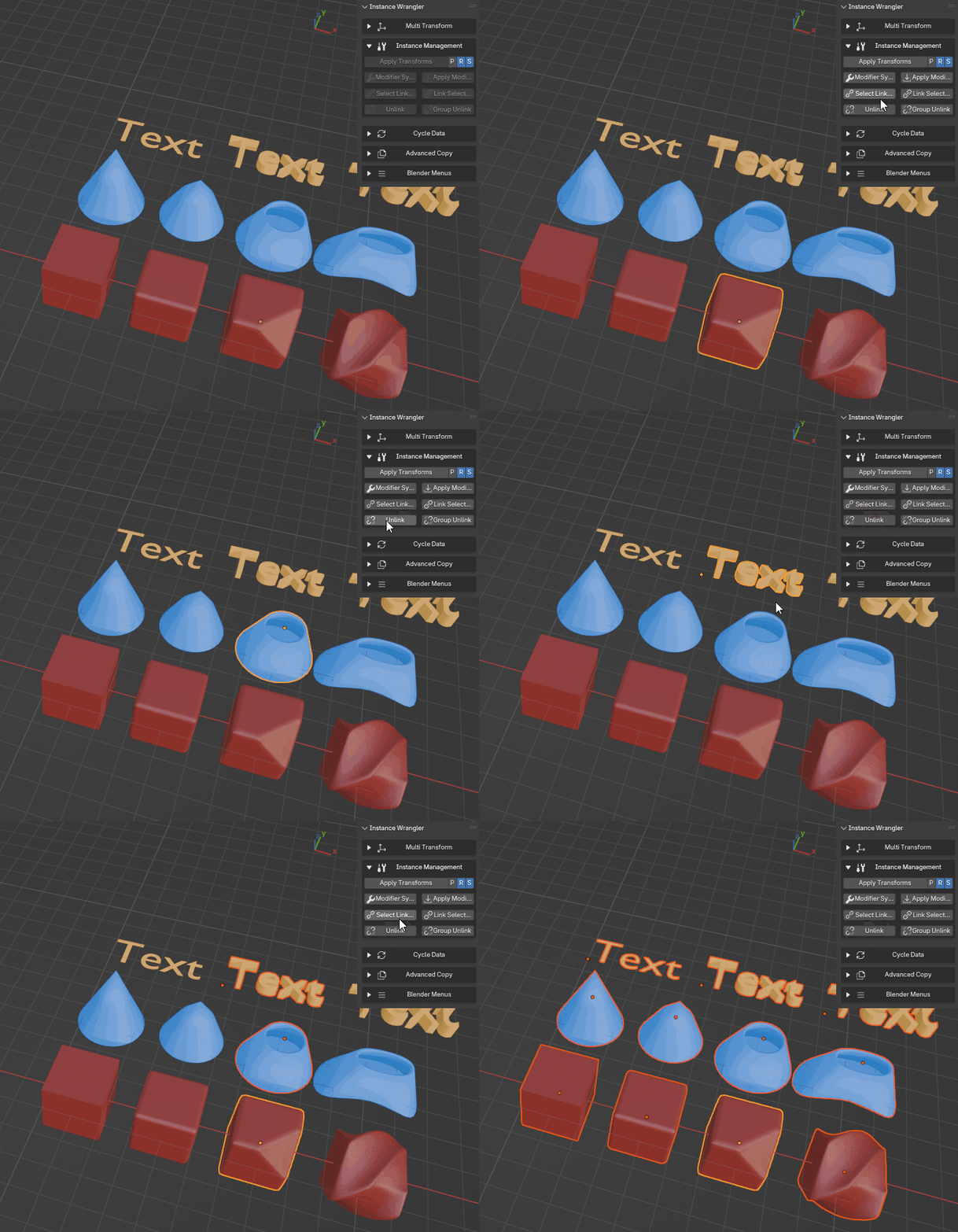
Selecting one or multiple instance groups using Select Linked
Key Behavior
Works with Multiple Groups: You can select several different objects (e.g., a cube and a curve) and run the operator once. It will find all instances of the cube and all instances of the curve simultaneously.
Respects Visibility: The tool will not select objects that are hidden or located in a disabled collection. This ensures you are only selecting items relevant to your current view.
This feature is extremely useful for quickly gathering all instances of a particular asset before performing a batch operation, such as assigning a material or using another Instance Wrangler tool like Multi Transform.