Apply Modifiers
The Apply Modifiers operator is a powerful tool designed to permanently “bake” an object’s modifier stack into its geometry. Its strength lies in its versatility, handling most object types that support modifiers—such as Meshes, Curves, and Text—while intelligently managing linked duplicates to ensure modifiers are applied consistently across all instances.
The primary function is to provide a one-click solution to apply a modifier setup and then clean up the stack across an entire instance group.
Important
This is a destructive operation. For non-mesh objects like Curves or Text, this operator will permanently convert them into Mesh objects to apply the modifiers.
The Two-Step Process
To understand this tool, it’s best to think of it as an automated two-step process that happens in the background:
Apply & Convert: First, the operator runs a “Convert to Mesh” operation on the leader of each selected group. This bakes the visual result of the modifiers into the shared object data, affecting all linked duplicates of that group simultaneously.
Sync & Clean Up: Immediately after, the operator automatically runs a Modifier Sync. Since the modifiers are now part of the base geometry, this step intelligently removes the now-redundant modifier stacks from all linked duplicates, leaving you with a clean result.
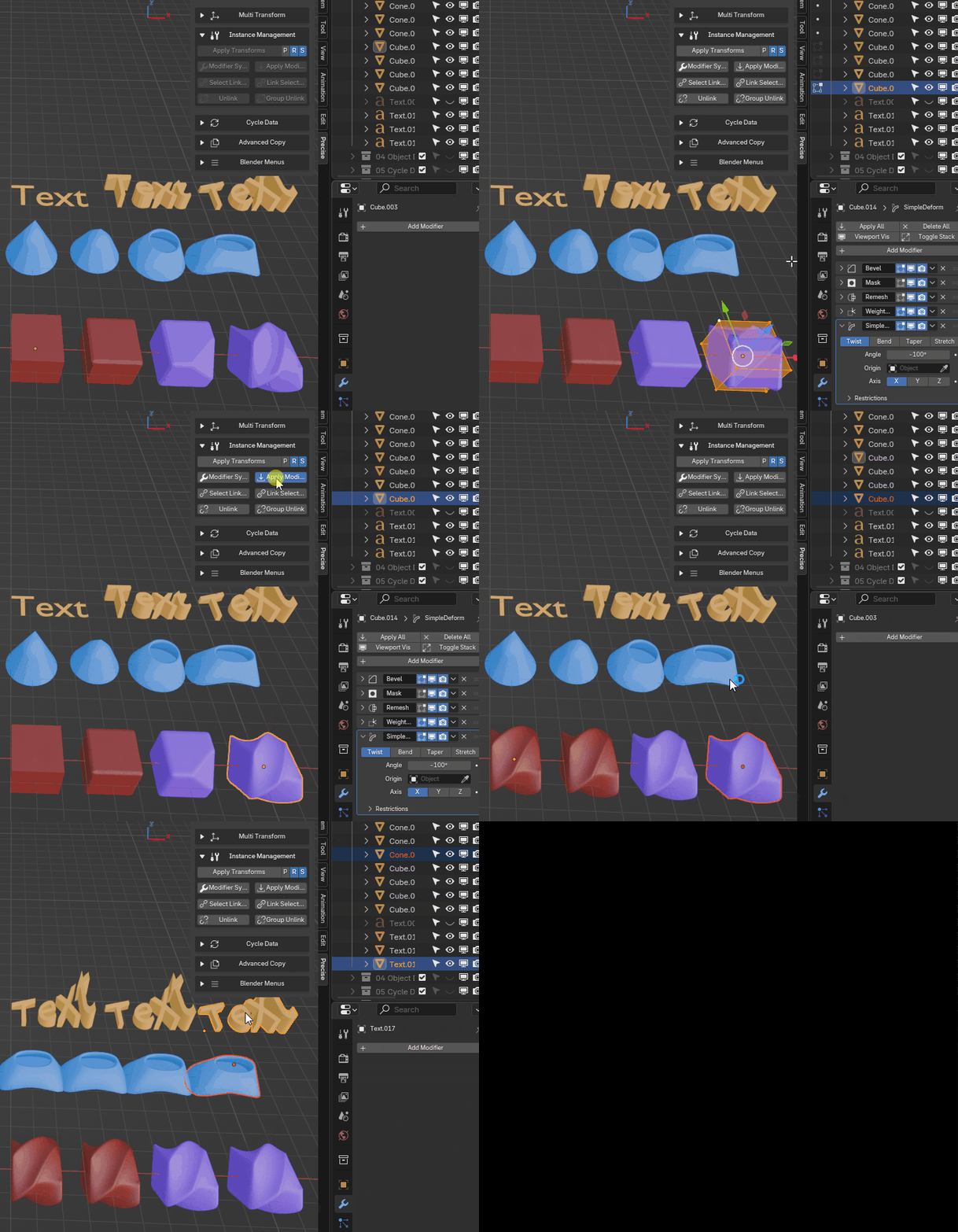
Applying modifiers on different object types, first a single instance group, then two groups at once
How to Use with Selections
The operator’s behavior adapts to your selection, whether it is a single object or a group. In all cases, it performs a global action, affecting all instances of the object(s) being processed.
For a single selected object: This is the simplest use case. The operator will apply the modifiers to the selected object and all of its linked duplicates (if any exist).
- For multiple selected objects: The operator must find a “leader” (the source object) for each instance group. The rules are the same as for Modifier Sync:
If your entire selection belongs to one group, the active object is the leader.
If you select from multiple groups, a leader is found for each. If only one object is selected from a group, it is the leader. If multiple objects are selected from a group, the active object must be one of them.