Apply Transforms
The Apply Transforms tool is one of the most powerful features of Instance Wrangler, solving a common limitation in Blender. By default, Blender requires you to make an object a single user before you can apply its transform, breaking its link to all other instances. This tool overcomes that restriction.
Apply Transforms allows you to “bake” the position, rotation, and/or scale of an object while keeping its data linked to all its instances. It effectively applies the transform at the object level, allowing each instance to have unique transforms while still sharing the same underlying geometry.
How It Works
When you select an object and click Apply Transforms, the operator automatically finds every linked duplicate of that object in your entire scene (even in hidden collections) and applies the selected transforms to all of them at once. When the operation is complete, you will not see any objects visually change their position, rotation, or scale. The tool’s purpose is to reset the transform values (e.g., setting Scale to 1.0) while ensuring the object’s appearance in the scene remains exactly the same. This process is repeated for every unique object in your selection, making it a powerful batch-processing tool.
P, R, S Toggles
Next to the button, you have three toggles to control exactly which transforms are applied:
P: Applies the object’s Position (Location).R: Applies the object’s Rotation.S: Applies the object’s Scale.
You can use any combination of these toggles. For example, you can apply the scale of several objects while leaving their unique positions and rotations untouched.
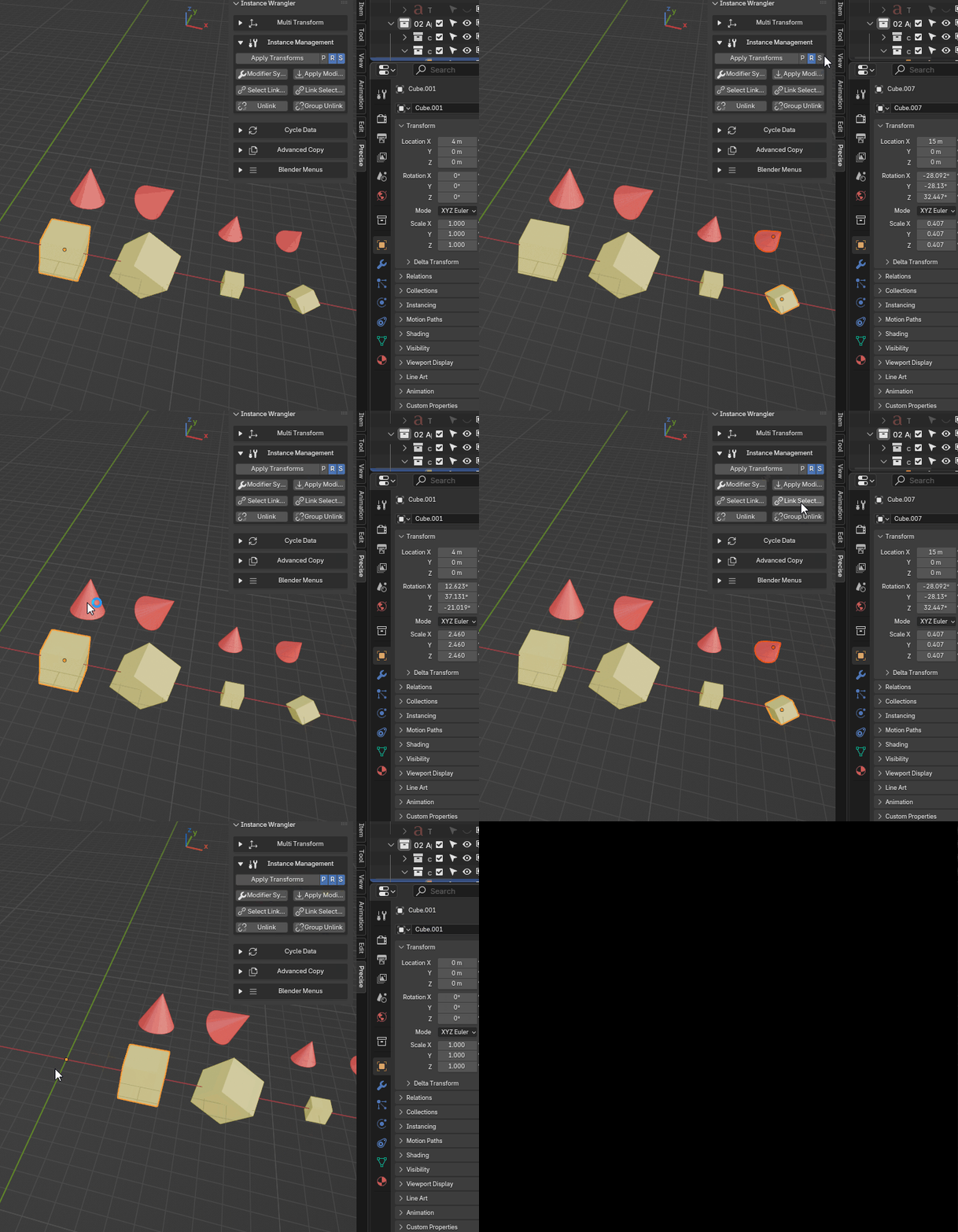
Applying transforms for rotation, scale and position on multiple instances.
Usage with Selections
The operator intelligently determines a “leader” object (whose transform will be used as the source) for each instance group in your selection. The rules are applied on a per-group basis:
If one object is selected from a group: That object is automatically the leader. This is the most direct way to use the tool.
- If multiple objects are selected from the same group: The operator checks for ambiguity:
If all selected instances have uniform transforms (for the Position, Rotation, Scale channels being applied), any one of them is chosen as the leader.
If their transforms are different, you must make one of them the active object (select it last) to designate it as the leader.